Werewolf transformation video

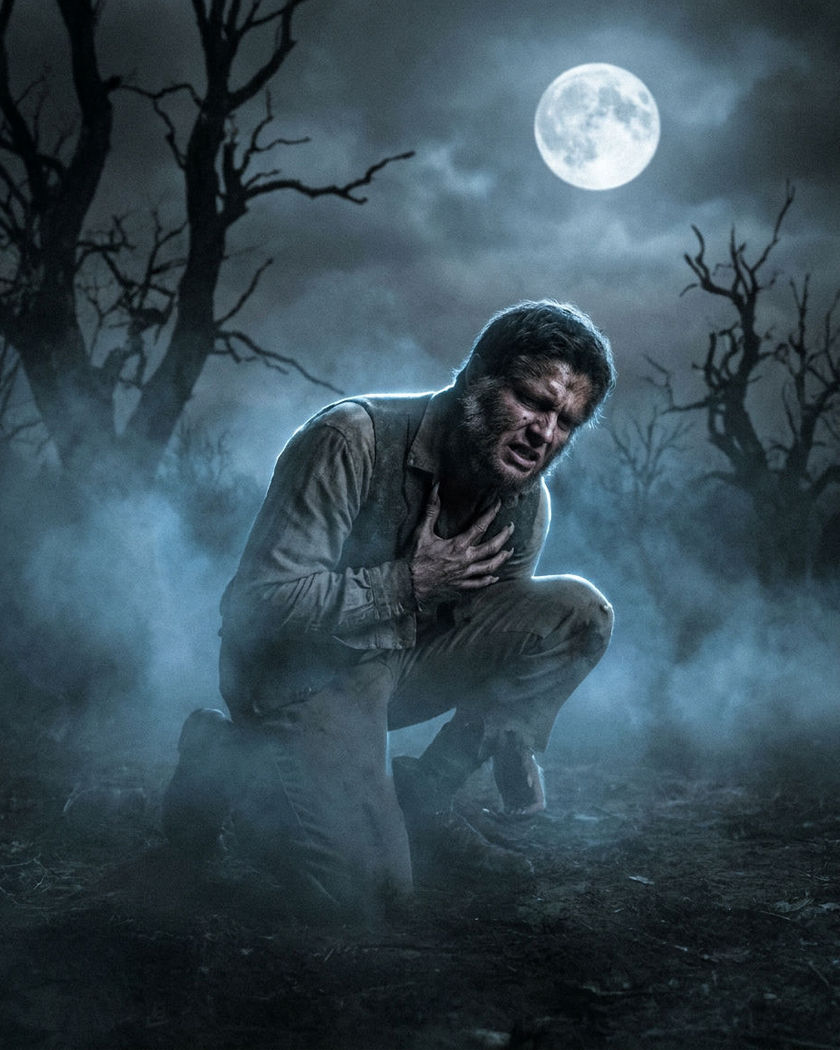
A person turning into a wolf-like creature in a single generated shot, fur spreading across the skin and features lengthening as the change takes hold, instead of a hard cut hiding a costume swap. A folklore shapeshift built for vertical drama.

A person mid-change into a wolf-like creature under a full moon, fur spreading across the skin

Werewolf transformation examples

The moonlit change

Use this prompt

Under a full moon, fur spreads across the skin and the eyes shift to a wolf-like amber glow as the change takes hold. vertical 9:16 clip of a person standing under a full moon, slowly beginning to change, coarse fur spreading across the skin of the face and hands, the eyes shifting to a wolf-like amber glow, muscles tensing, cold blue moonlight, slow dramatic transformation, folklore werewolf

The half-turned snarl

Use this prompt

Caught mid-change, half human and half beast, the face lengthening into a muzzle as a snarl forms. vertical 9:16 clip of a person caught mid-transformation, half human and half wolf-like creature, the face lengthening into a muzzle, teeth sharpening, a low snarl forming, fur along the jaw, dim moody light, tense folklore shapeshift

Generate your own werewolf transformation

Pick a starting point, edit anything you like, then generate it in Morphic.

Generate

Simple pricing

Get started for free today, with the option to upgrade or cancel anytime.

Basic

$19/ month
billed as $0 per year

2400 monthly credits

1 user only

All models

Workflows

Standard

$24/ month
billed as $0 per year

3625 monthly credits

1 user only

All models

Workflows

Pro

$45/ month
billed as $0 per year

6350 shared monthly credits

1 user

+ up to 4 more at extra cost

All models

Workflows

Max

$170/ month
billed as $0 per year

24650 shared monthly credits

1 user

+ up to 9 more at extra cost

All models

Workflows

Enterprise

For higher limits

Custom

pricing and billing terms

High-volume credits
Custom seat limits
All models
Workflows
Pricing Gradient

Free

For playing around

$0

forever free

Up to 20 credits
1 user only
Limited models
Workflows

FAQs

Where can I make werewolf transformation videos with AI?
You can create werewolf transformation videos directly in your browser on Morphic. Start from your own image, describe how far the change has gone and the light around it, and Morphic generates the clip with the shapeshift built into the motion. No frame-by-frame compositing needed.
What kind of werewolf shot works best for vertical drama?
A tight vertical framing on the face and hands reads the change clearly on a phone screen. A slow build, fur spreading and the eyes shifting, lands better than an instant swap, and cold moonlight sells the folklore mood.
How do I write a good prompt for a werewolf transformation?
Name the stage of the change, a first spread of fur, a half-turned muzzle, or a full creature, and the light source lighting it. Add the setting and mood. The clearer the stage and the light, the more convincing the shapeshift Morphic returns.
Can I keep the same character across a transformation scene?
Yes. Start from your own portrait and save it as a reference sheet so the human face stays steady before the change. Morphic passes the reference into each generation, so the before and the mid-change read as the same person.
Do I need visual-effects experience to make one?
No. Morphic runs in your browser and you direct it with plain-language prompts. If you can describe the change and the light, you can produce the clip. The prompts on this page are written so anyone can paste and run them.
What can I use a werewolf transformation video for?
They suit supernatural microdrama beats, cliffhanger episode endings, and social teasers. Generate the clip, add sound on the timeline, and export it vertical and ready to post from the same workspace.